DirRock

The file explorer, rebuilt from the ground up.

Windows 11 Native · offline · no telemetry · no subscription
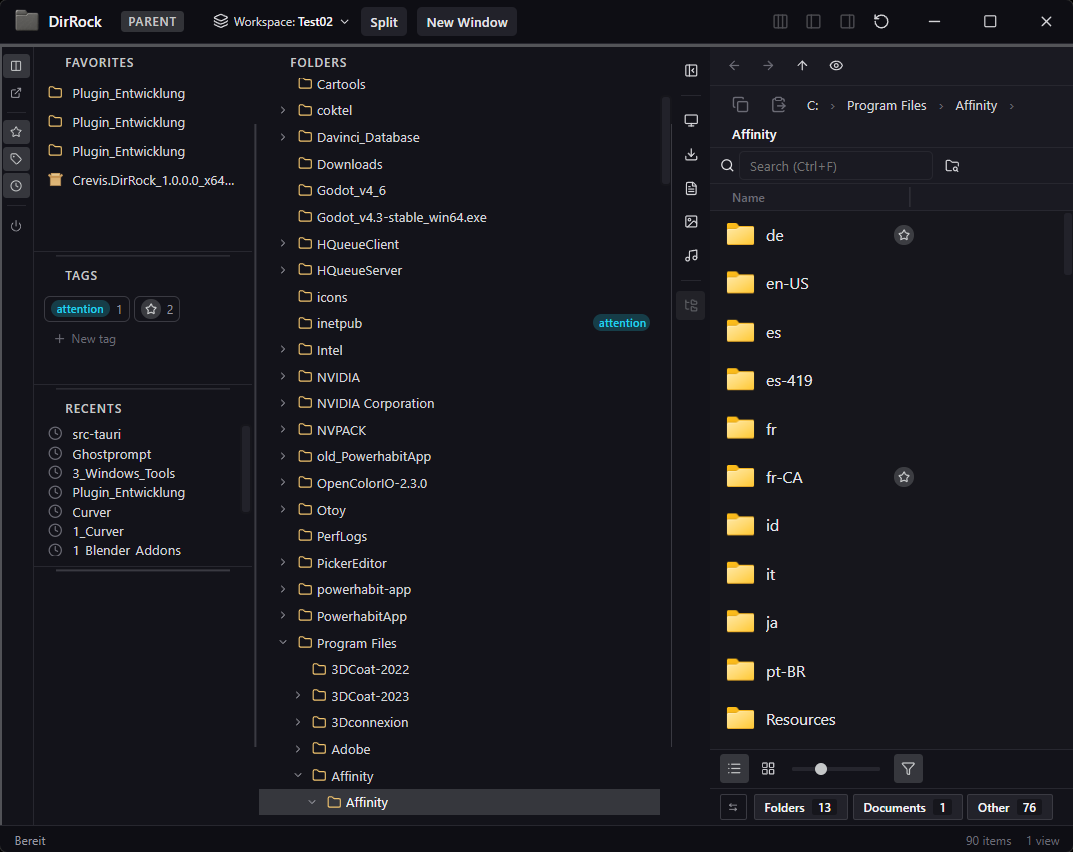
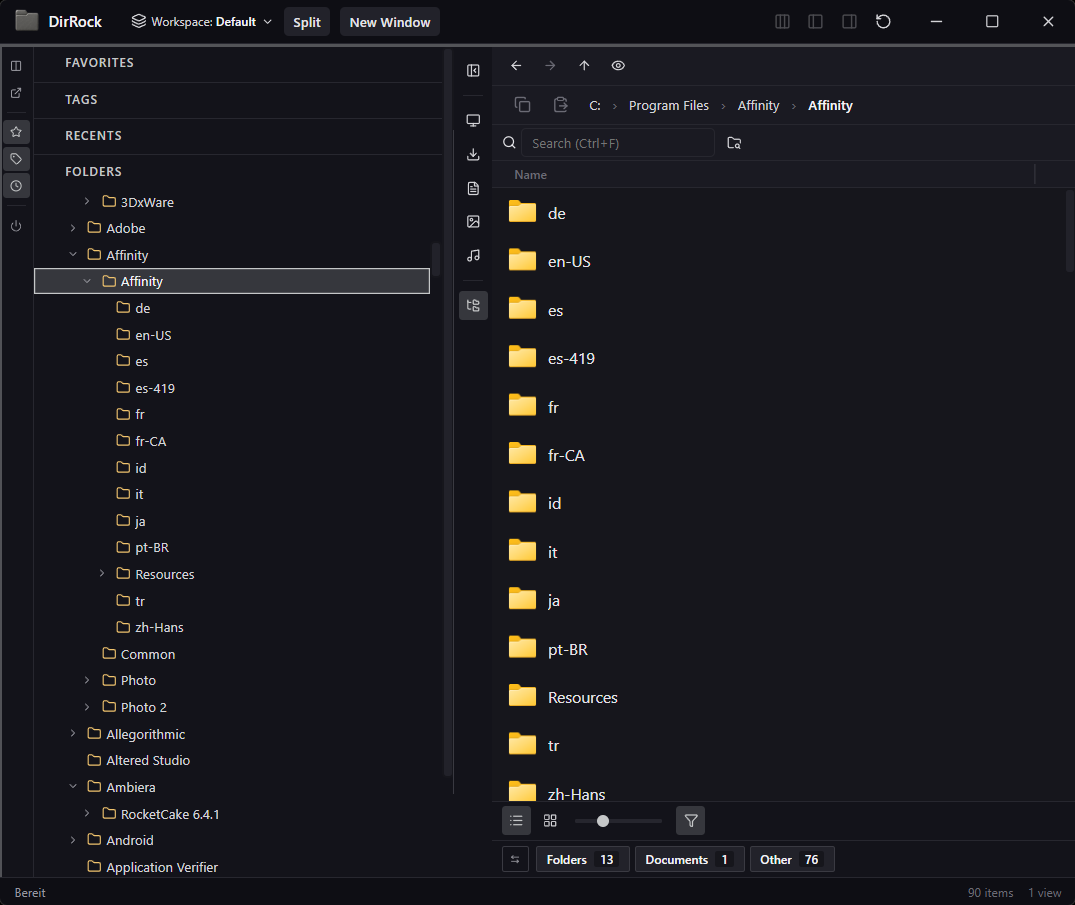
DirRock main window with sidebar showing favorites, tags, recents and a folder tree, plus the file list of an Affinity install folder.
Features

A file explorer that gets out of the way.

Eight things DirRock does differently. Click any image to take a closer look.

01 — Sidebar that adapts

A file explorer designed to be effortless.

Expand, collapse, or completely hide Favorites, Tags, and Recents in the left sidebar to keep only what you need on screen.

  • Per-view toggles for every section
  • Drag to reorder Favorites · Tags · Recents · Folders
  • Resizable section heights, remembered per view
02 — Split sidebar

More room for the folder tree, in one click.

Split the sidebar with one click: Favorites, Tags, and Recents move into a slim side column, giving the folder tree maximum space without losing quick access to your shortcuts.

  • Window grows to the left — right edge stays put
  • Resizable left column, remembered per view
  • Switch back any time — your layout is yours
03 — Multi-view, your way

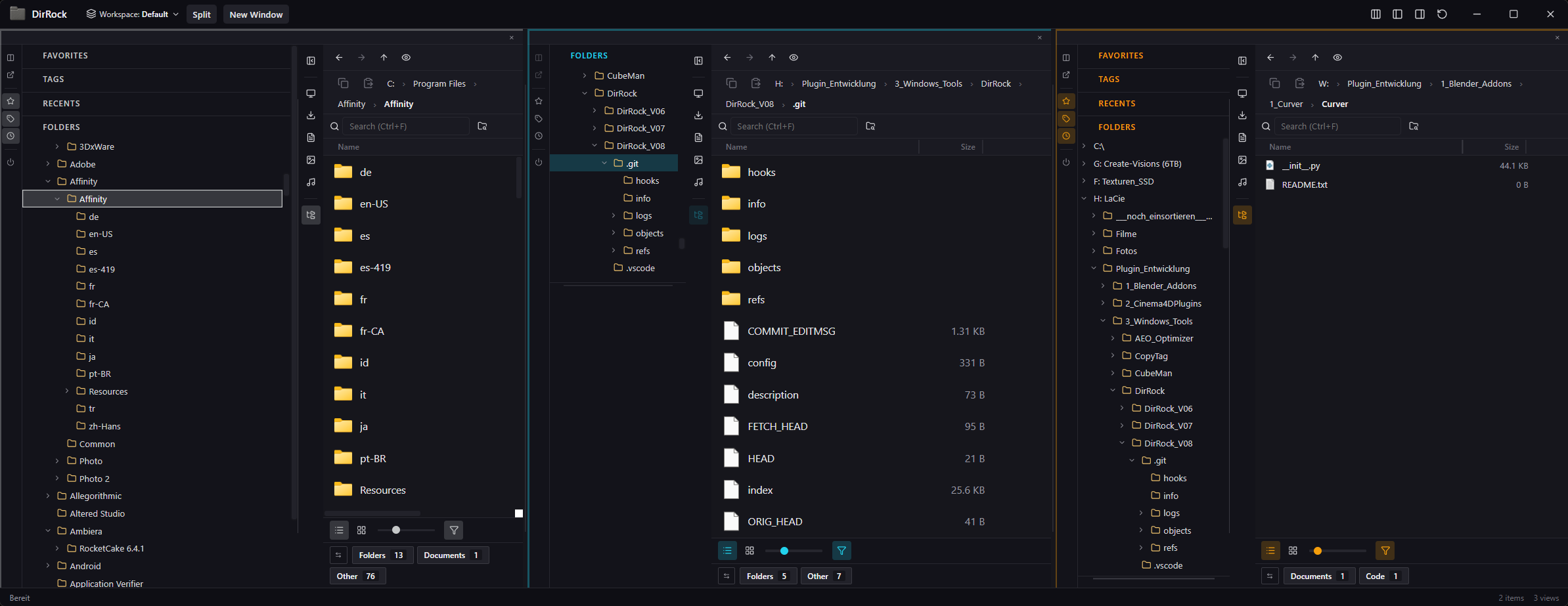
Up to four side-by-side views.

Split a window into up to four independent views — each one with its own folder, sidebar, filters, sort and layout. Works across as many windows as you like.

  • Per-view navigation history (back / forward / up)
  • Per-view tags, search, and column visibility
  • Color-coded view borders so you never lose track
04 — Organize the way you think

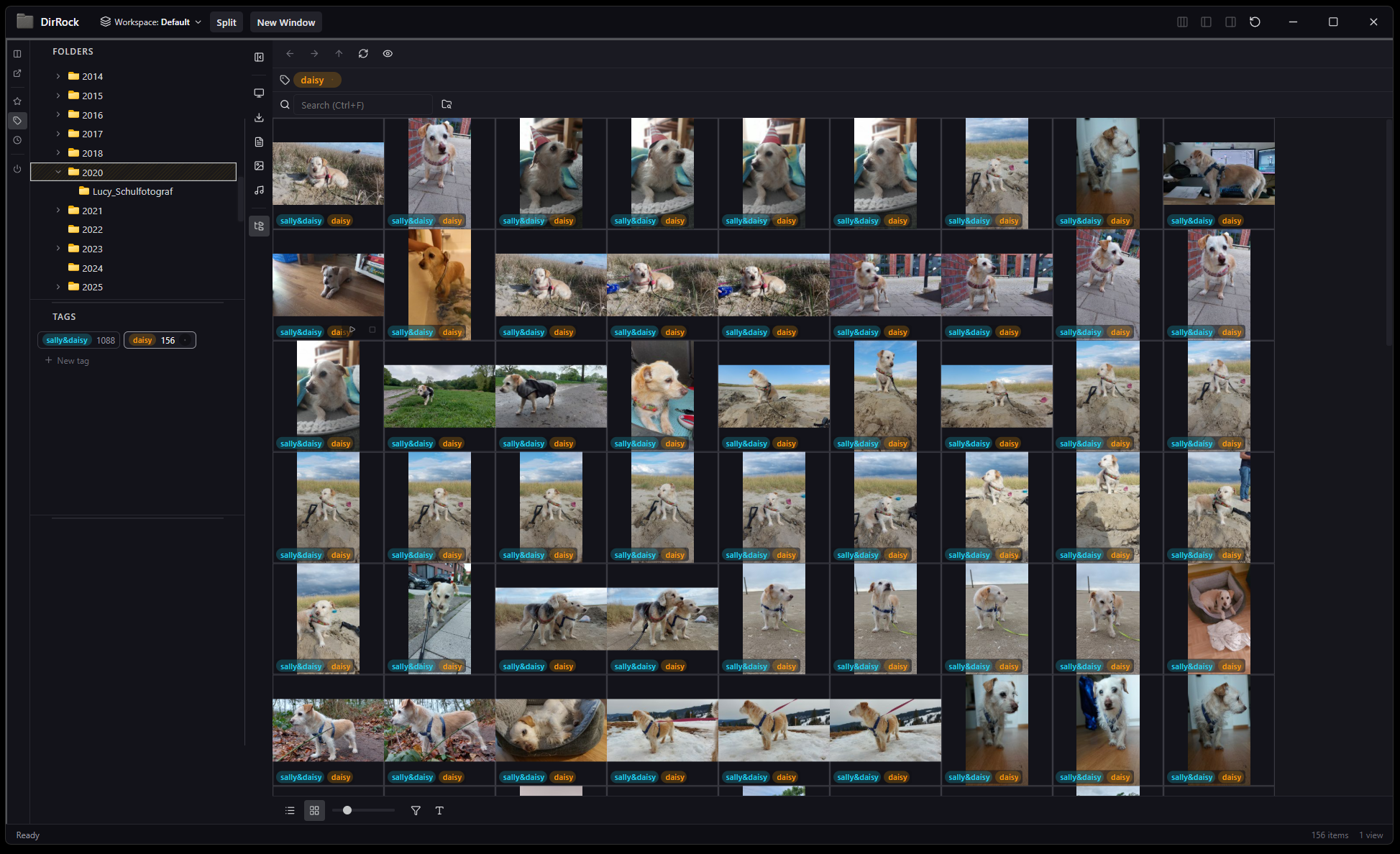
Tags, color highlights, pins, favorites.

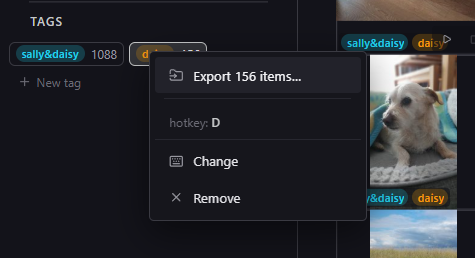
Favorite both files and folders, tag them however you like — even your favorites can carry tags — color-highlight what matters, and pin the most important items to the top of any folder.

  • Multi-select tag union — see everything across folders
  • Eight highlight colors, drop-applied per file or folder
  • Pin-to-top is per-folder and survives sort changes
  • Optional Lucide-icon tags for purely visual marking
05 — 3D preview, built in

Preview 3D models without opening another app.

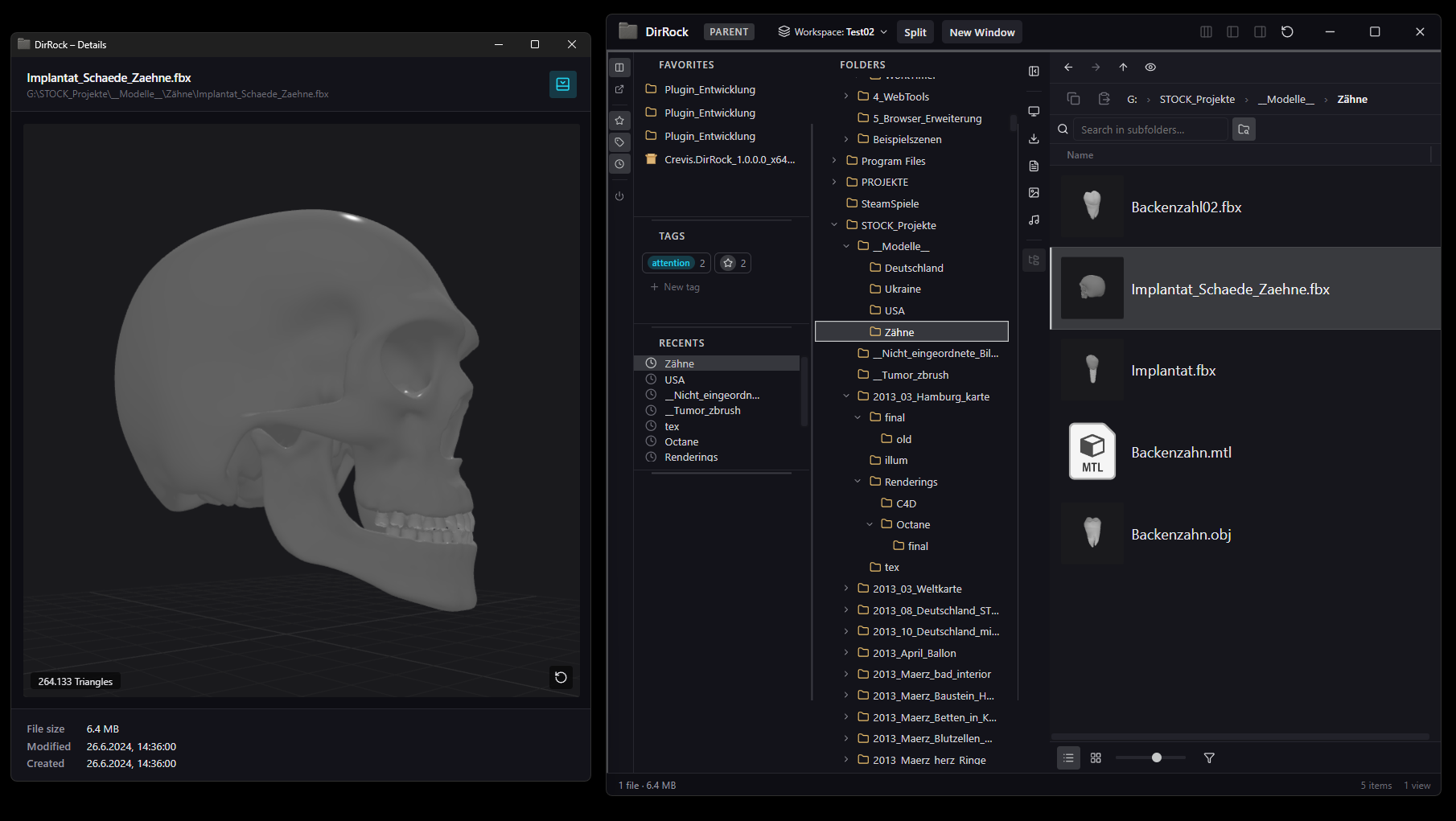
The detail window opens GLB, glTF, OBJ, STL, PLY, DAE, 3DS and most FBX files — fully interactive, with rotate, pan, and zoom built in.

  • Auto-framing camera, three-point lighting, ground grid
  • Triangle counter and reset-view at a glance
  • Same loaders power inline 3D thumbnails in grid view
06 — One-click focus mode

Too many windows? Hit Focus.

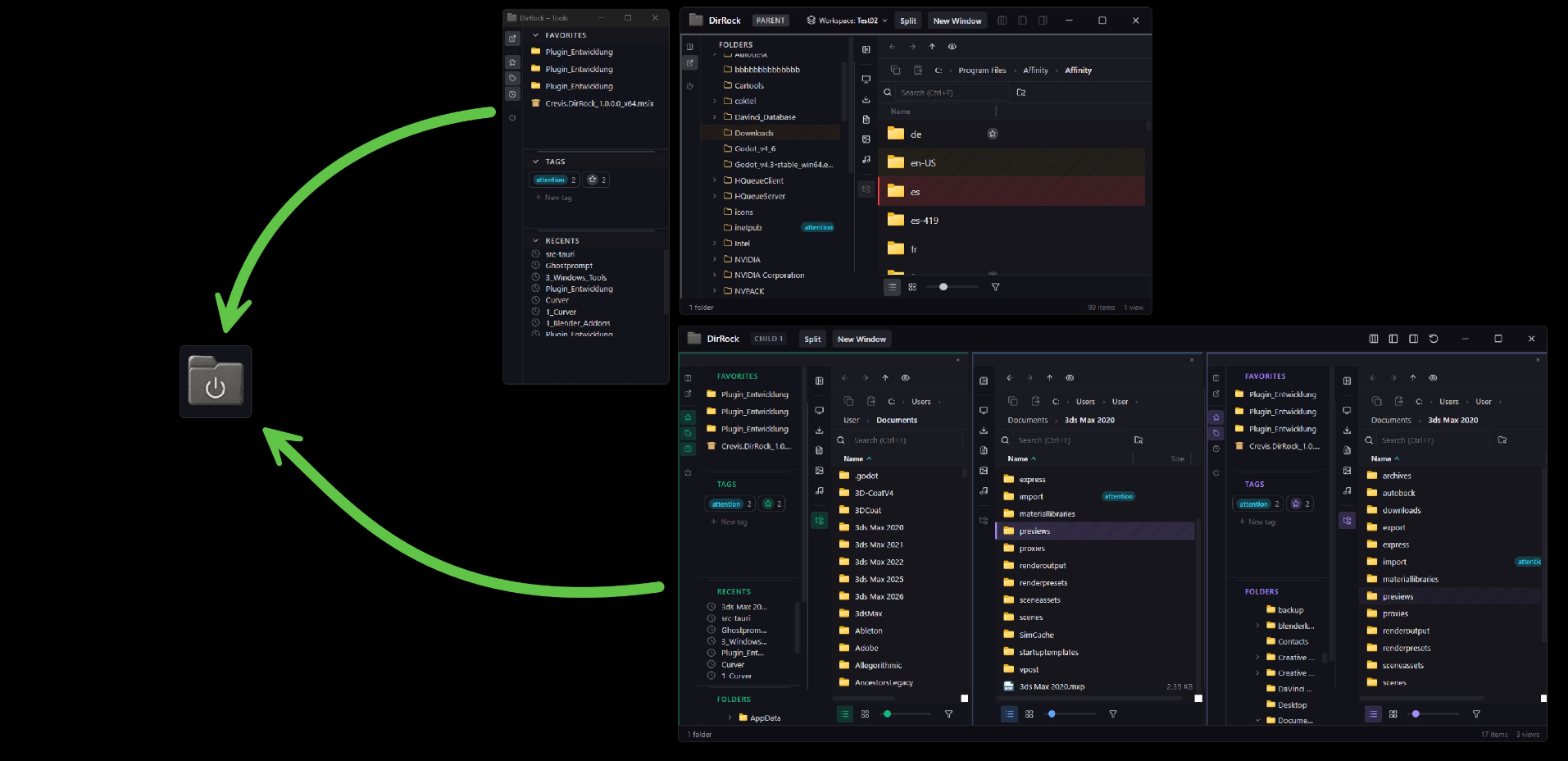
Every DirRock window collapses into a single floating icon. Click it again and your full setup returns instantly — perfect for screen-sharing or jumping into another app.

  • Always-on-top floating button, drag it anywhere
  • Synchronized across every open DirRock window
  • Available from any sidebar — no shortcuts to remember
07 — Named workspaces

Capture your entire setup, recall it instantly.

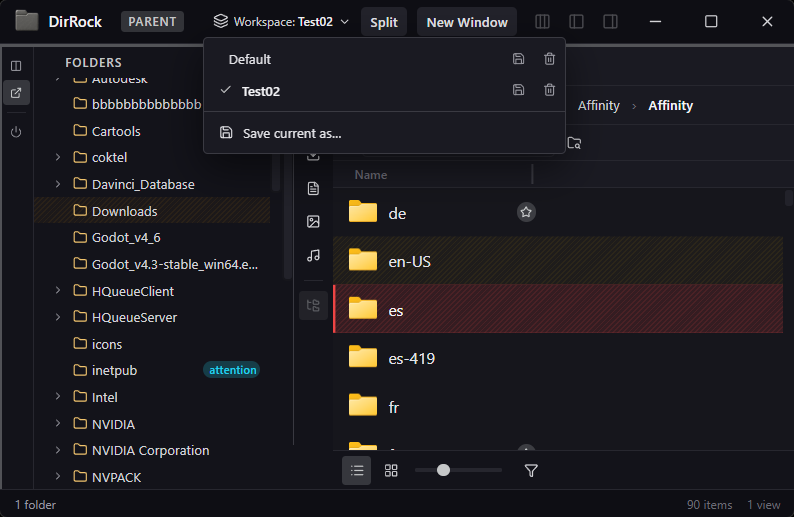
Workspaces capture everything: every window, every split, every folder, every sidebar setting. Save one for work, one for private, one per project — and jump between completely different layouts with a single click from the parent window.

  • Multi-window snapshots, including positions and sizes
  • Sidebar layout, section heights, column visibility — all remembered
  • Per-view tags, search and media filter restore exactly
08 — Detach what you need

Float Favorites, Tags & Recents anywhere.

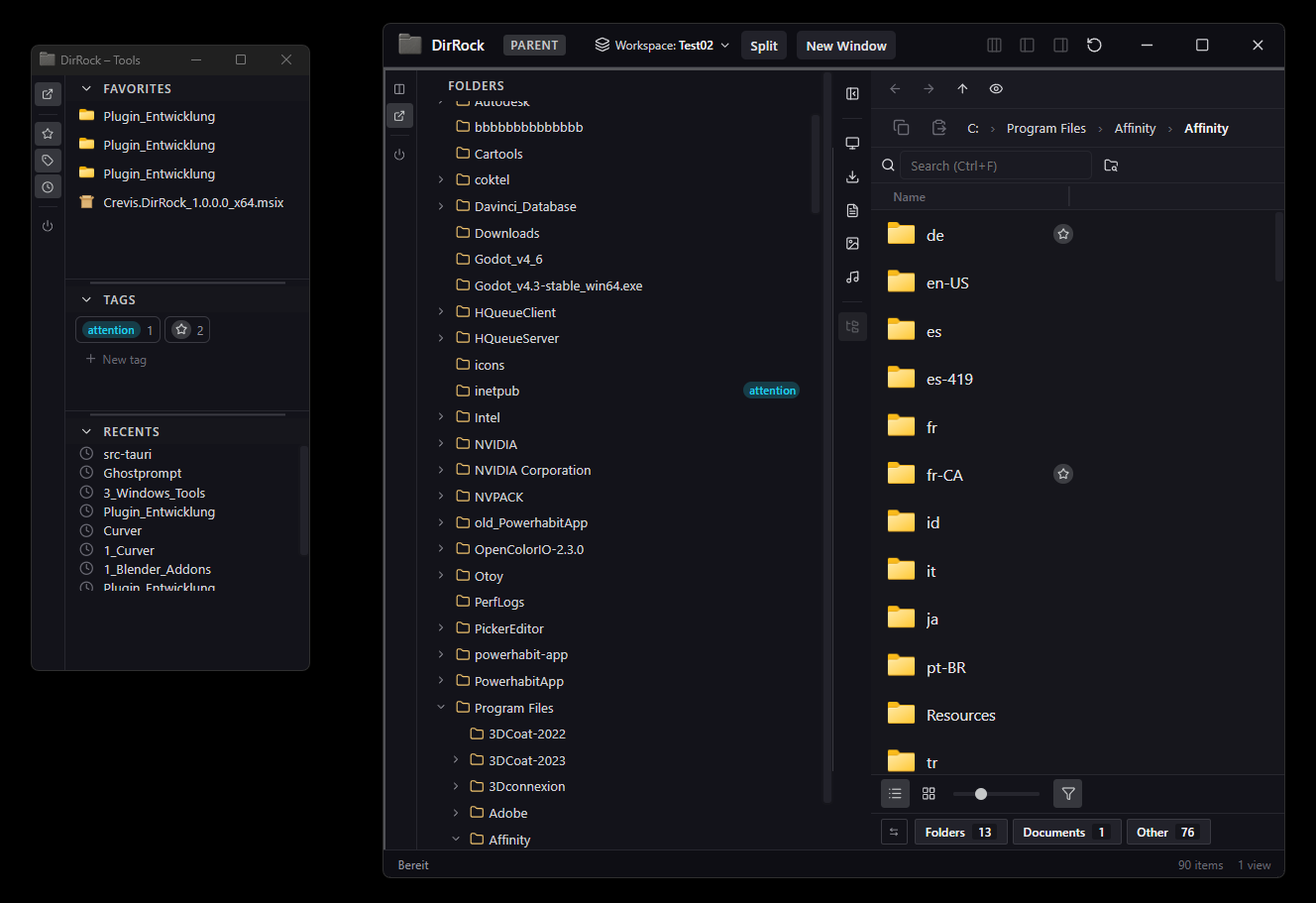
Take it even further: detach Favorites, Tags, and Recents into a separate floating window and move it anywhere — even to a second monitor. Works independently for every window and every split view, so each workspace stays exactly the way you want it.

  • Per-view tools window, re-dockable in one click
  • Lives on a second screen if you want it to
  • Saved with your workspace preset
Specs

Built for power users.

Native code, no Electron, no background services. Just a fast, focused file explorer that respects your machine.

A real Windows app

No embedded browser, no web wrapper, no hidden components. DirRock feels like it belongs on your machine because it does.

Offline-first

No internet required, no account, no telemetry. Your folder structure stays on your machine.

Snappy, even in big folders

Folder navigation stays smooth in folders with thousands of files. Fuzzy search digs through deep trees without making you wait.

Privacy by default

No telemetry pings. No update beacons. No third-party code. Just your files, your machine.

Drag files anywhere

Hold Alt and drag a file straight out of DirRock into any other app. If it accepts files, it accepts DirRock.

Keyboard-friendly

F2 to rename, Ctrl+F to search, Alt+Drag to copy a file out. DirRock works the way you already work in Windows.

Get DirRock

Available on the Microsoft Store.

One-time purchase. No subscription, no recurring fees.

Windows 11 · x64 only · v1.0.0

  • No subscription
  • No ads
  • No data collection